Global Navigation System
Redesigned Vimeo's global navigation as a controlled A/B test. Collaborated cross-functionally to resolve a mobile conversion regression, delivering a net lift to the primary conversion funnel.
- Company
- Vimeo, 2025/2026
- Role
- Software Engineer III
- Team
- 2 eng · 1 designer
- Timeline
- 4 months
- Focus
- UI, UX, Navigation
Problem
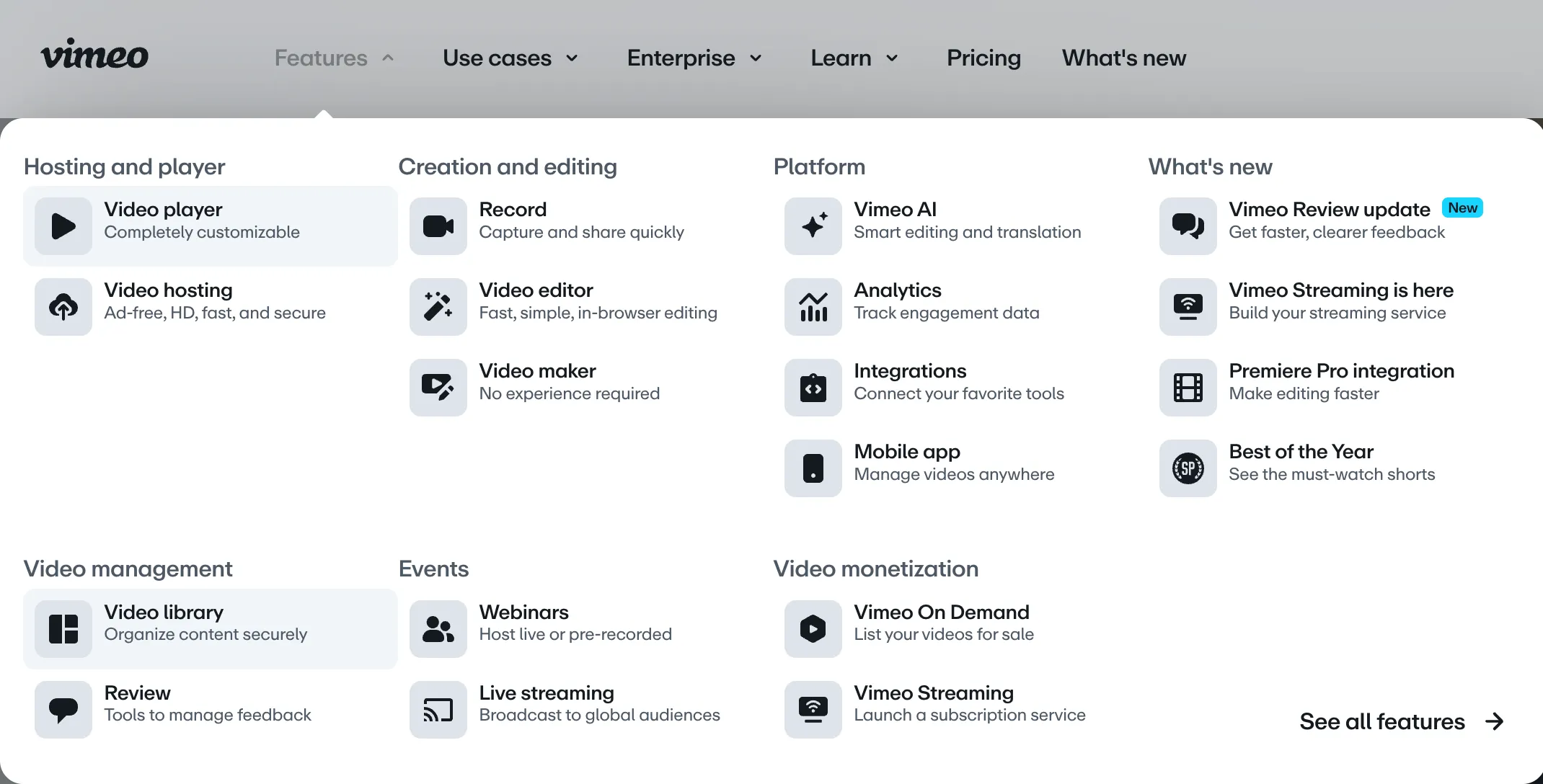
Vimeo needed a redesigned global navigation as part of a broader UX overhaul. Navigation sits at the top of every marketing page and has a direct relationship with conversion, so the stakes for getting it right were high, both visually and technically.
Approach
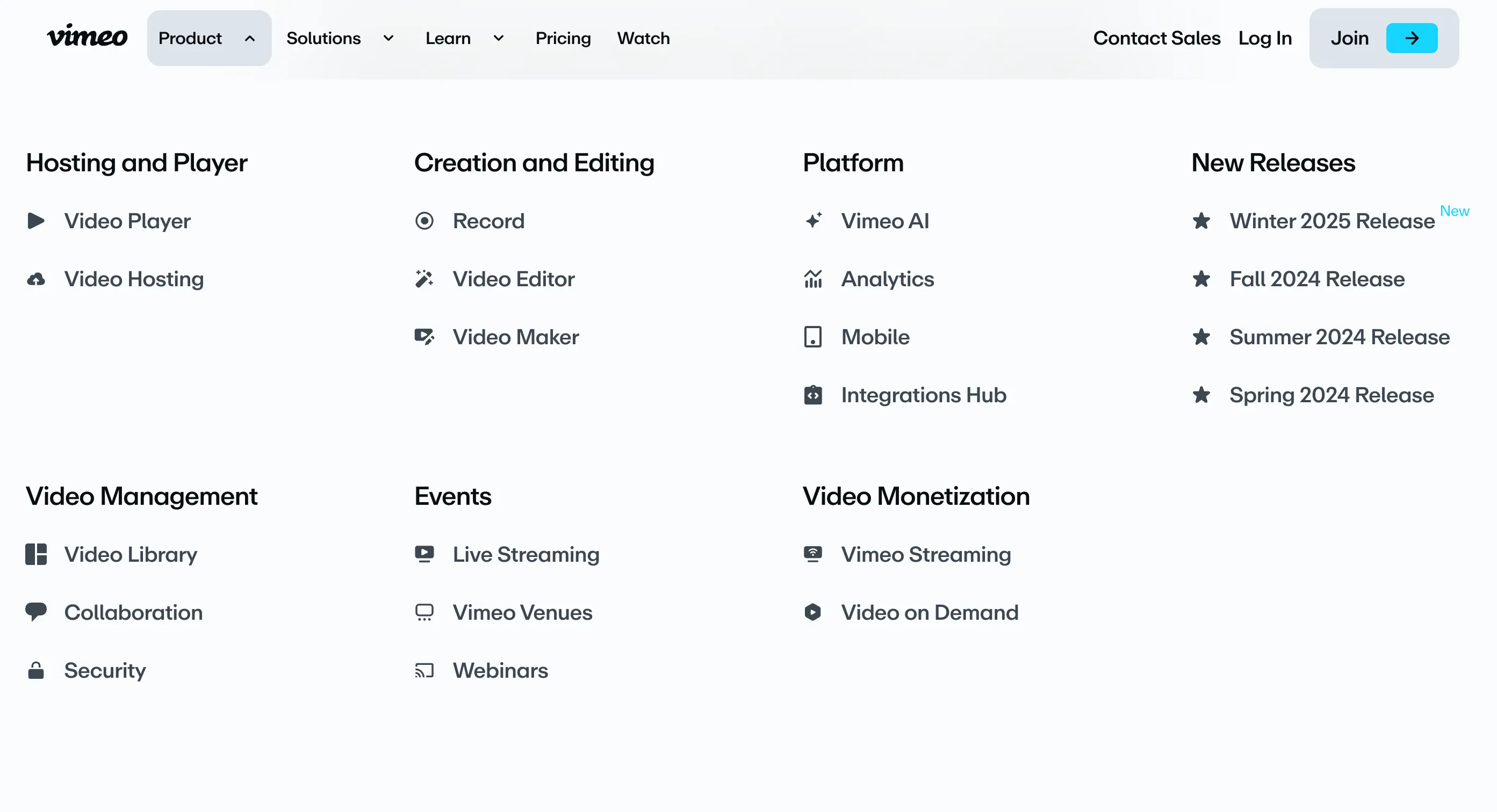
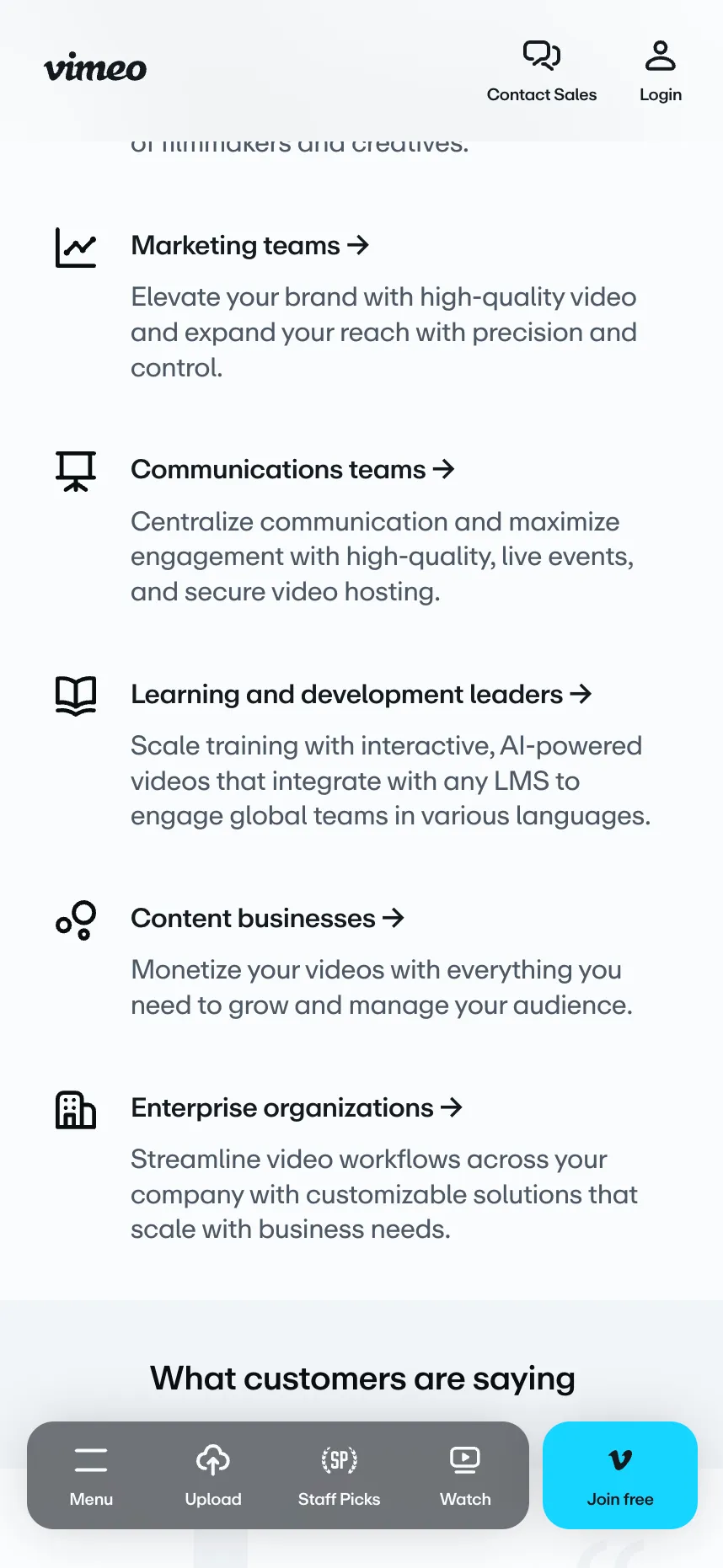
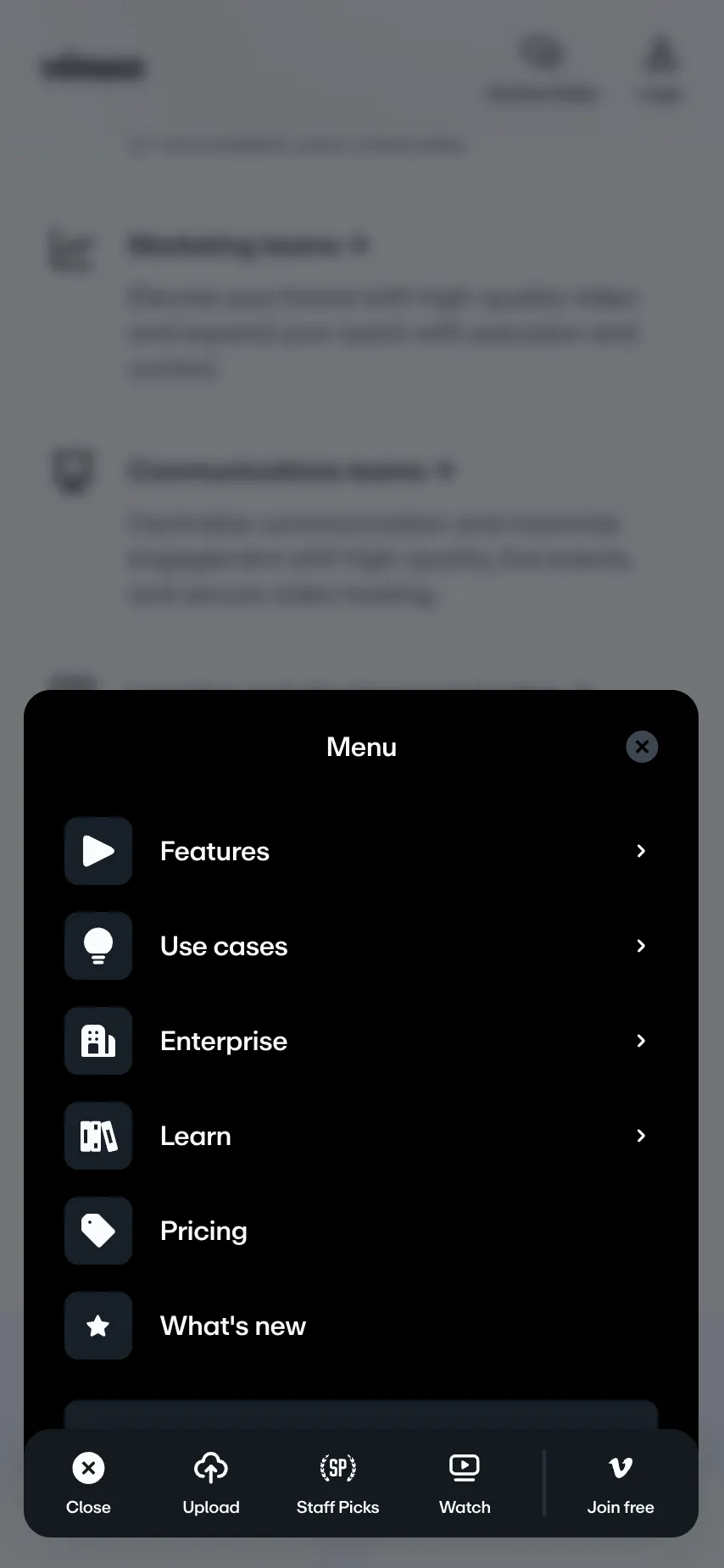
I built the navigation as one of the first major components within Vimeo’s new marketing design system, working closely with the UX designer throughout. One intentional decision that shaped the mobile implementation: rather than placing the navigation toggle at the top of the screen, the designer anchored it at the bottom. This was a deliberate ergonomic choice that makes one-handed use on a real device significantly more comfortable.
A navigation that morphs
On desktop, the navigation doesn’t open and close separate dropdowns. As you move between top-level links, a single panel morphs from one submenu to the next, sliding and resizing to fit each one while the new content quickly fades in.
The trick was separating the panel’s background from its content. The background is its own absolutely positioned box, so it can be animated independently while the submenu content fades in on top of it. My first approach animated it with scale, which runs on the GPU, but scaling distorted the panel’s rounded corners. Instead, I moved the box with translate and animated its width and height directly. To keep that cheap, I promoted the background to its own compositing layer with will-change and translateZ(0). Because it’s absolutely positioned on its own layer, resizing it never pushes other content around or makes the rest of the page re-lay itself out.
To know where the background should go and how large it should be for each submenu, I rendered a copy of every submenu off screen, fully laid out, and measured them on load and again on resize. Measuring the live menu during the animation would have caused visible stutter. Below a certain breakpoint, the submenus simply span the full width, so only height needs to change. When a menu opens, its stored position and dimensions are passed to the background through CSS custom properties, and CSS transitions handle the morph. The off-screen copies are hidden from screen readers with aria-hidden and can’t receive focus, so they never get in the way of assistive technology.
Accessibility as a requirement, not a pass at the end
Navigation is how every visitor finds their way around the site, so it had to work for everyone, including people who don’t use a mouse or can’t see the screen. Accessibility was a priority from the start. I wrote interaction tests for keyboard navigation directly in the component’s Storybook stories, covering Tab and arrow-key movement through the menus, Escape to close them, and where focus lands when a menu opens and closes. For screen reader users, I used aria-expanded on the menu triggers so each menu’s open or closed state is announced, and aria-hidden on decorative elements so they don’t clutter what a screen reader reads out. The morphing animation respects prefers-reduced-motion, toning down motion for people who’ve asked their device to minimize it. I also added automated accessibility checks with axe-core in Storybook, so common issues would surface during development instead of after launch.
The bottom-anchored mobile menu needed its own care. While the panel is open, focus stays inside it, so keyboard and assistive-technology users can’t accidentally tab into the page behind it. It also closes when you tap outside it, which is what people expect from a panel like this. Because all of these tests ran alongside Chroma’s other component tests, the nav’s accessibility was protected against regressions as the design system grew.
Launching safely
We launched as a controlled A/B test, starting with roughly 10% of traffic to limit risk. A stakeholder monitoring the results flagged a significant drop in mobile traffic to Vimeo’s join page. I was brought into the cross-functional response, organizing a brainstorm sync with the UX designer, UI designer, and project manager. Rather than debating a single fix, we rapidly generated three distinct design directions to narrow faster. I implemented the winning approach, making the join button significantly more prominent on mobile, which not only recovered the lost traffic but produced a net lift to traffic on the primary conversion page.
Tracking down a performance issue
After launch, I noticed a performance issue: hovering over top-level navigation items caused a noticeable delay before dropdown menus appeared. Nobody had reported it yet, but on a component this visible, I didn’t want to wait until someone did. I used Chrome’s performance monitor to record and trace the interaction down the component tree. The culprit was a useWindowResize hook relying on a resize event handler, with many instances mounted simultaneously throughout the navigation. I replaced it with a new hook built on the browser’s native matchMedia API, hoisted the listener to a single point higher in the tree, and passed the result down via React Context. This eliminated the delay entirely.
You can export the Chrome Performance profile and hand it to your AI tool of choice (mine’s Claude). It’s surprisingly good at narrowing down what’s actually causing a slowdown like this.
Outcome
The navigation now sits at the top of every page on Vimeo’s marketing site, one of its highest-traffic surfaces. Starting the A/B test at roughly 10% of traffic kept the blast radius small when the mobile regression surfaced, and the fix shipped within two days. It didn’t just recover the lost mobile traffic to the join page. It finished above the original baseline, turning the regression into a measurable gain on the site’s primary conversion page. Keyboard, screen reader, and automated accessibility checks were built in from the start and covered by tests that run with the rest of the design system. Separately, the performance fix I identified and shipped replaced many per-instance resize listeners with a single shared one, removing a visible hover delay across every dropdown in the navigation.